

Description
Incredible Comes From Unlimited Power
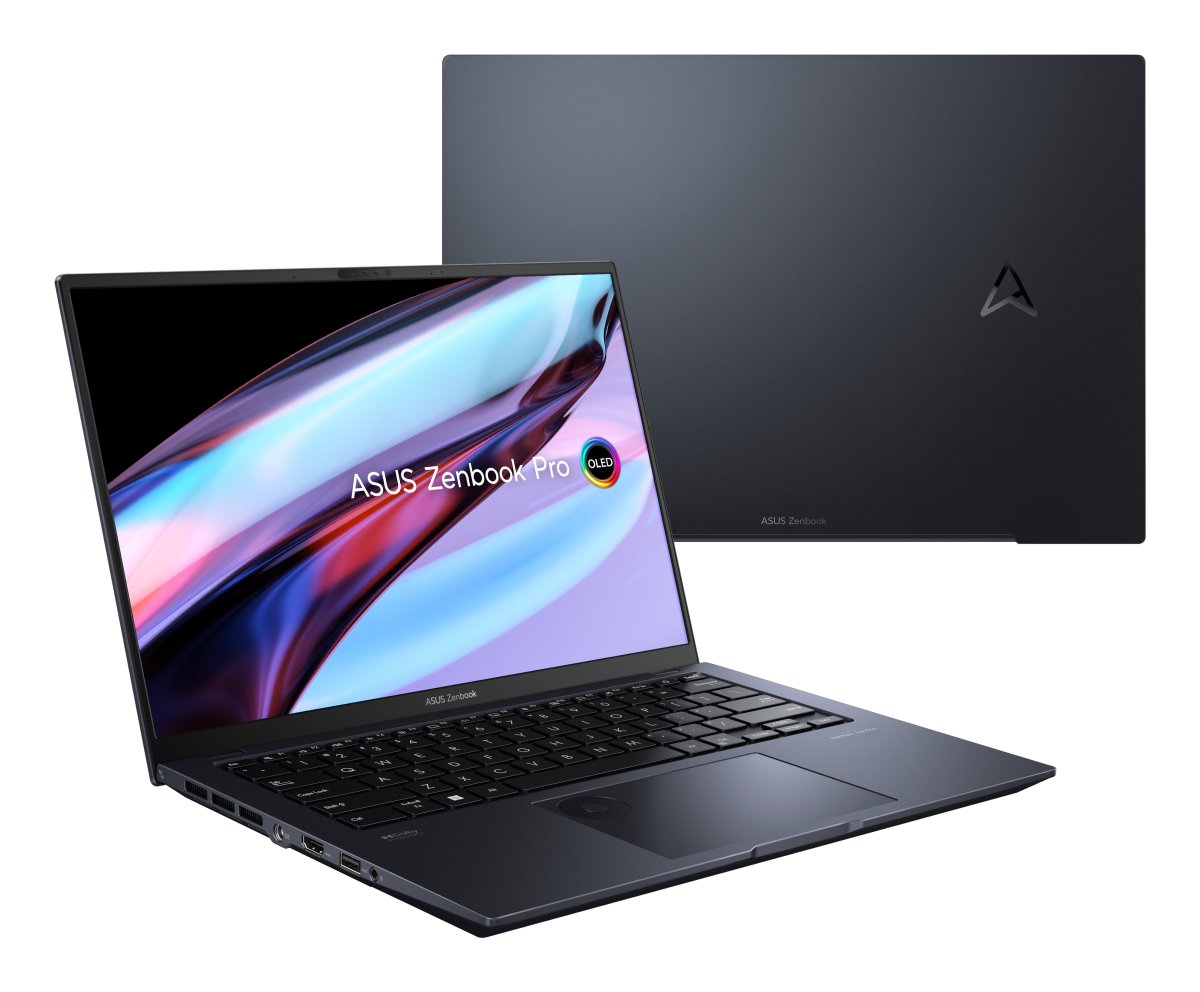
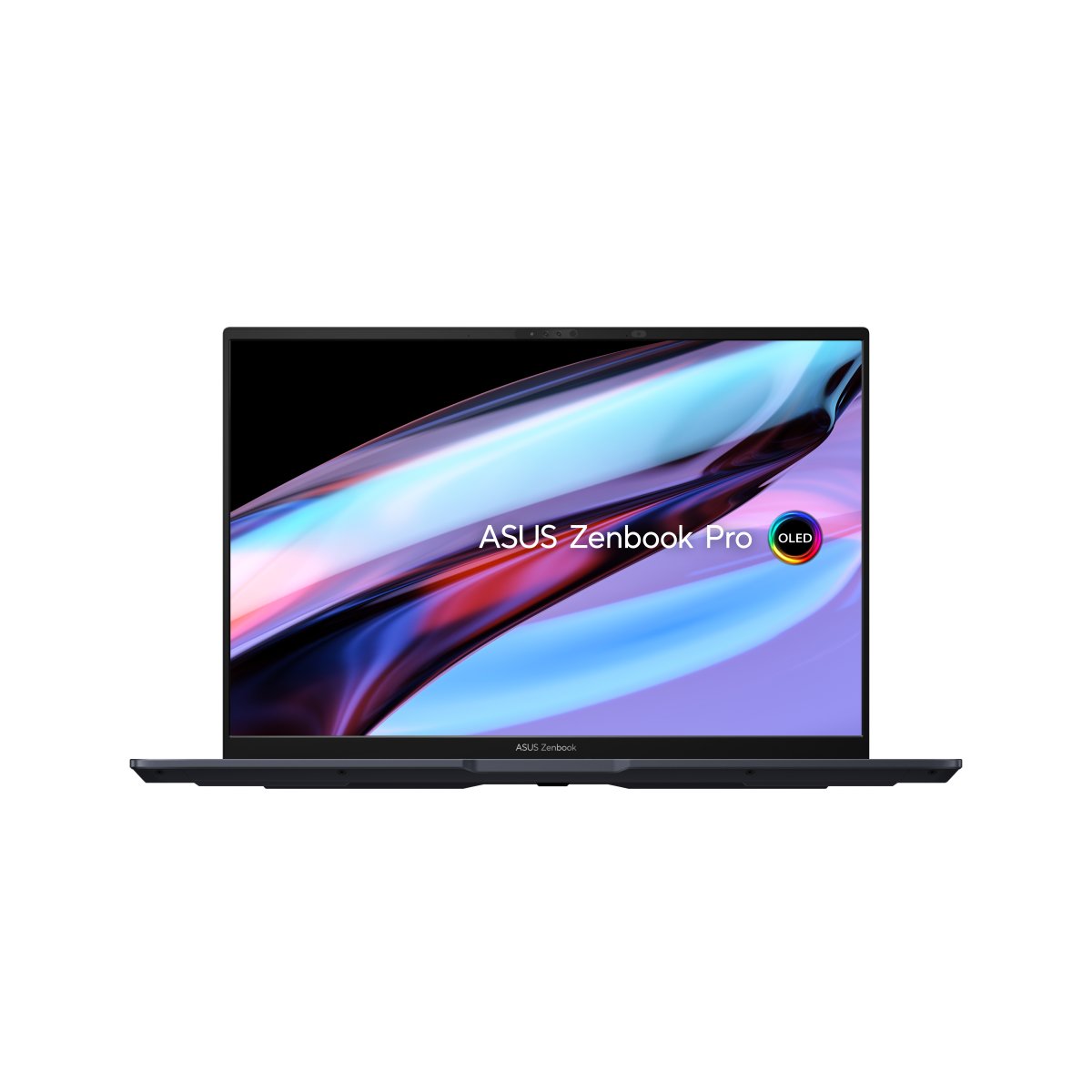
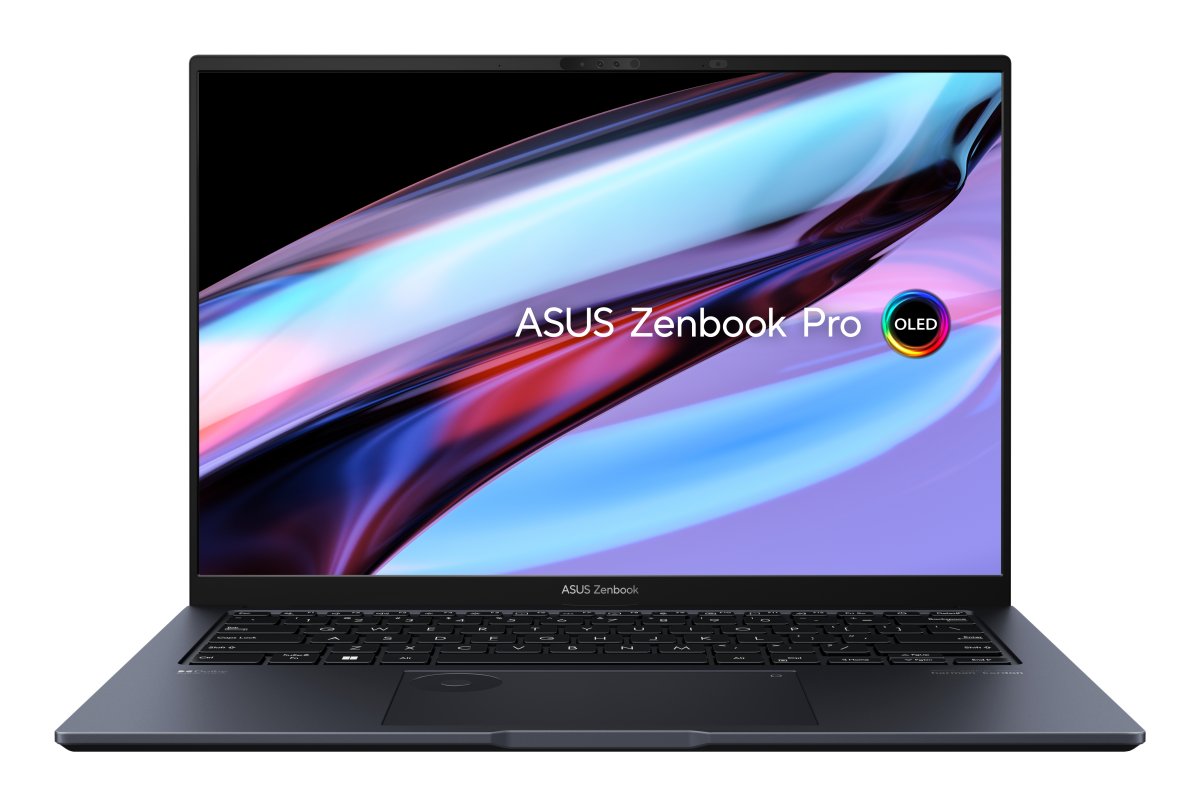
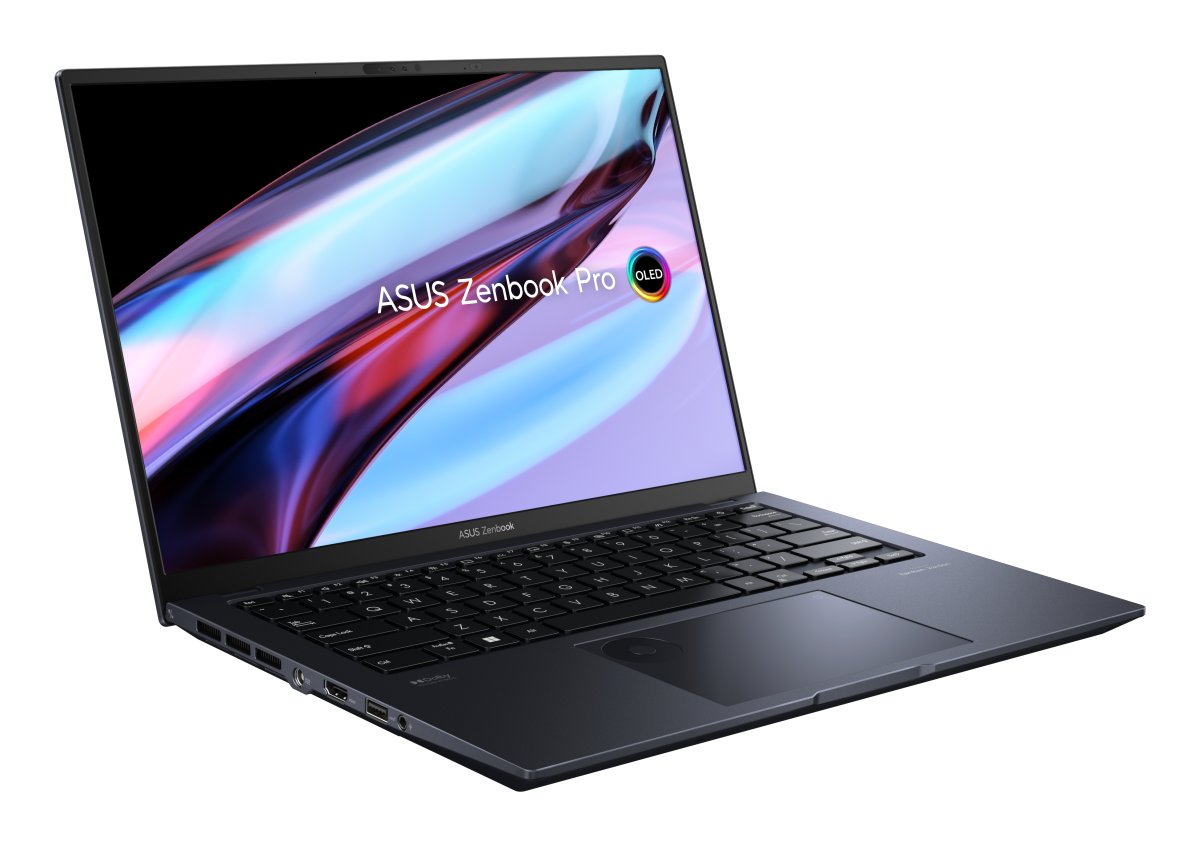
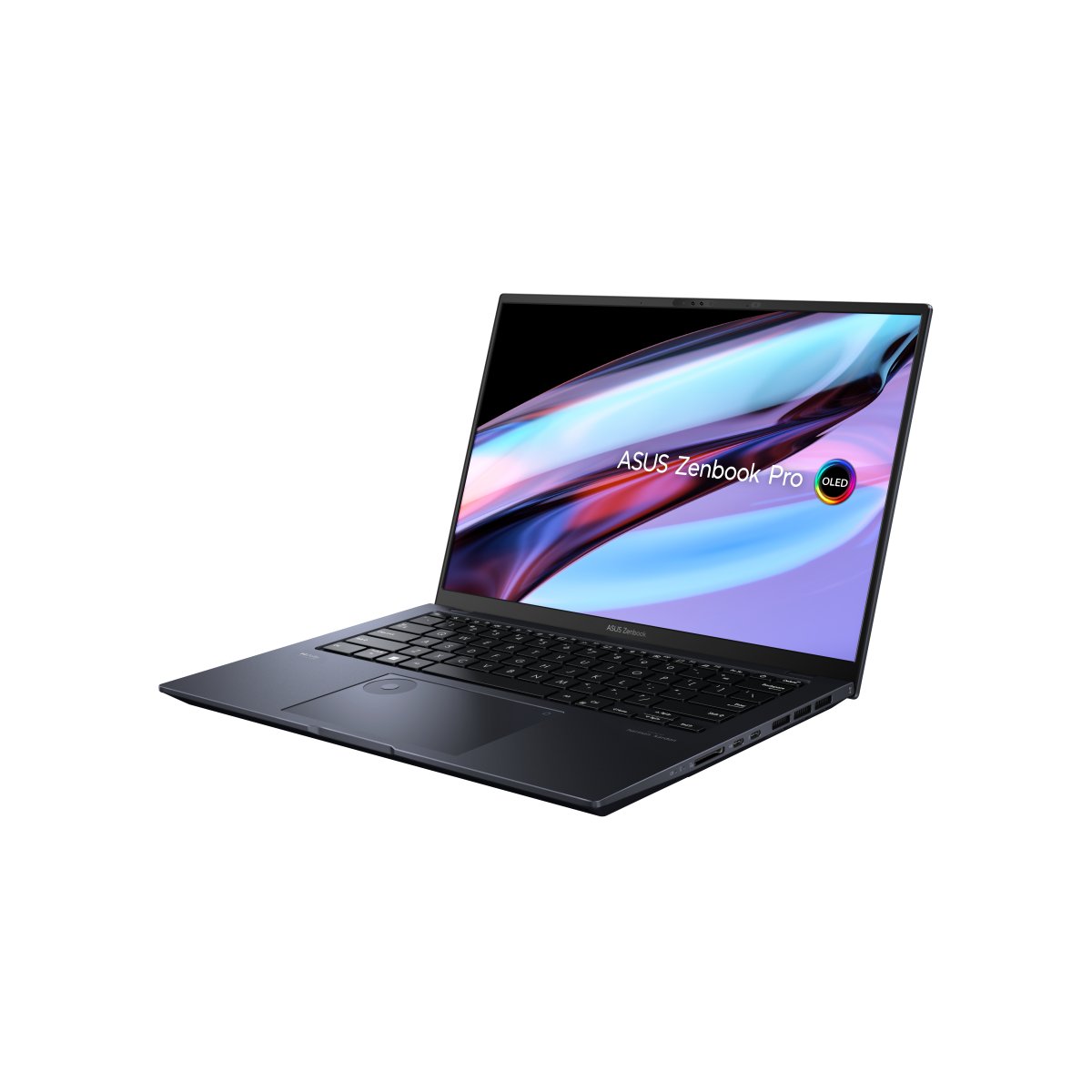
Better doesn’t always have to be bigger! The all-conquering Zenbook Pro 14 OLED packs more on-the-go creative power into its elegant, ultra-compact chassis than ever before, starting with a new 14.5-inch 120Hz OLED NanoEdge display. Added to this is the full power of the latest 13th Gen Intel® Core™ i9-13900H processors and studio-grade NVIDIA® GeForce RTX™ 4070 graphics — unleashed by ASUS IceCool Pro thermal technology to a max 125-watt combined TDP — and the innovative ASUS DialPad for total creative control. Work freely wherever you are with this 17.9 mm-thin, 1.6 kg-light marvel, and enjoy non-stop productivity from the long-lasting 76 Wh battery. Make your creative power more incredible with Zenbook Pro 14 OLED!*1,*2
The creative dream machine
PERFORMANCE
Zenbook Pro 14 OLED delivers powerful all-round performance for efficient creativity and daily productivity. With up to the latest 13th Gen Intel® Core™ i9 processor, NVIDIA® GeForce RTX™ 4070 graphics, 2 TB SSD and 16 GB of fast DDR5 RAM with 32 GB SODIMM, it’s a dream machine for creators.
ASUS WiFi Master Premium certified
ASUS is a leader in wireless networking innovation, and we created the ASUS WiFi Master Premium standard to ensure that our laptops deliver superior WiFi performance in any situation. Zenbook Pro 14 OLED features the latest WiFi 6E that loads online content in the blink of an eye, enhanced by the exclusive WiFi fine-tuning technologies and software features that help deliver the speed, stability and coverage needed to meet the strict WiFi Master Premium performance requirements. ASUS WiFi Stabiliser filters out wireless interference, so you’ll always enjoy the fastest possible speeds. Via the MyASUS app, you can switch on WiFi SmartConnect, which automatically connects to the best WiFi signal and known mobile hotspots, or utilise TaskFirst to select tasks that you wish to prioritise for internet access.
Next-level visuals
GPU
Enter a new era of creative visuals with up to NVIDIA® GeForce RTX™ 4070 graphics. This potent GPU has the speed needed for deep-learning analytics, with real-time ray tracing for accelerating motion-blur rendering, advanced AI-augmented video effects, and capabilities that help it export faster and blitz through the toughest visual tasks. Plus, you get the reassurance of NVIDIA Studio for maximum performance and stability.
MUX Switch for reduced latency
MUX SWITCH
If you’re creating gaming content, Zenbook Pro 14 OLED has a clear advantage with its MUX Switch. The GPU sends graphics frames directly to the display without passing through the CPU, a strategy that reduces latency and boosts the refresh rate.
Efficient cooling for boosted performance
THERMAL TECHNOLOGY
The efficient ASUS IceCool Pro cooling system features a dual-fan design, with four external exhaust vents at the side and rear to dissipate heat to the exterior. It also comes with a dust filter for both of its fan, a filter helps to keep dust and fibers from being sucked into the chassis.
Make magic happen with ASUS DialPad
ASUS DIALPAD
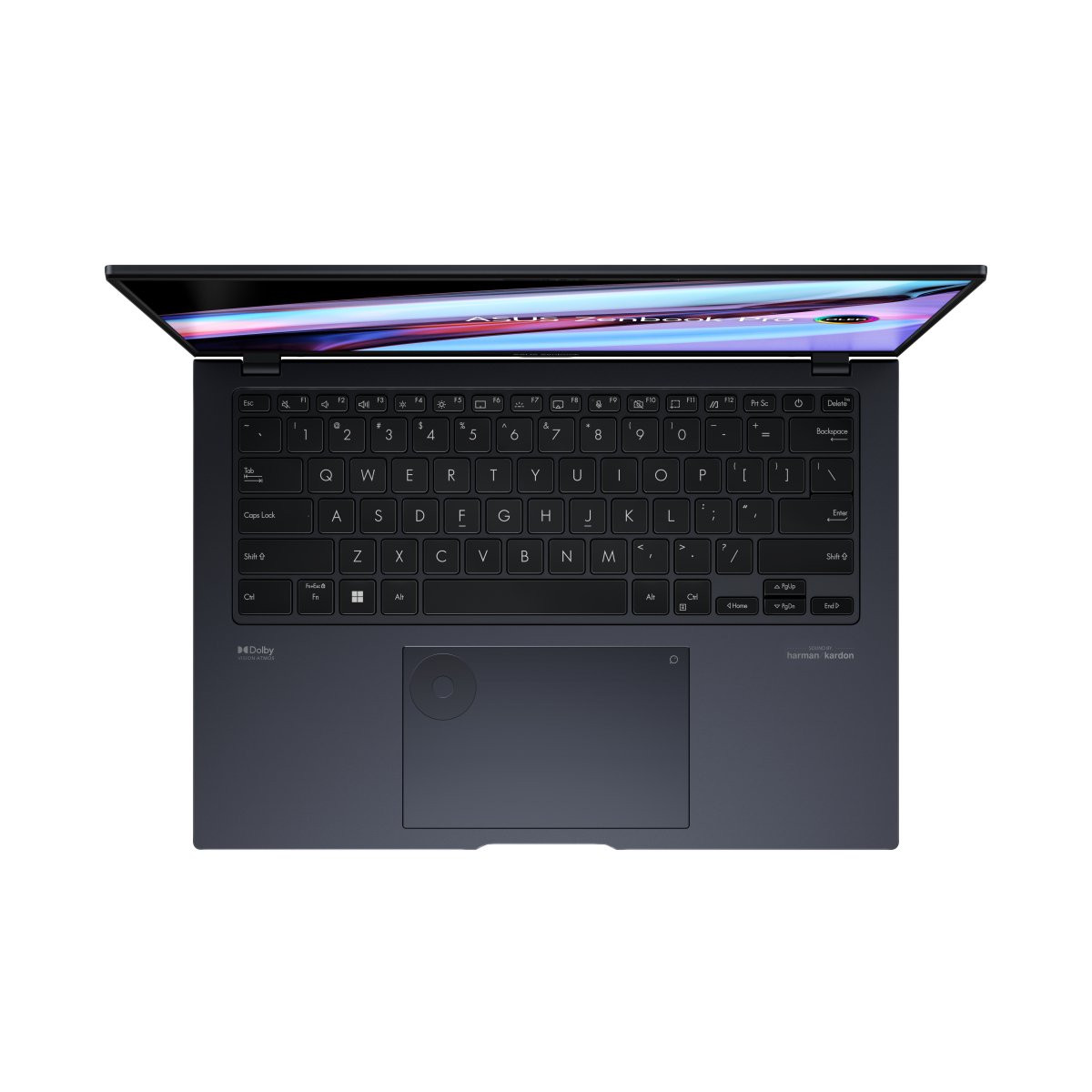
Discover new ways to work with the exclusive ASUS DialPad, an intuitive physical controller that gives you instant and precise fingertip control over parameters in your creative apps. You can easily change brush size, or rapidly undo actions to make your creative workflow smoother. It’s fully customisable — and works with a wide range of apps!
Adobe Apps
Enjoy more intuitive, creative operating functions with your favorite Adobe® apps.
Productivity
Personalize your productivity app settings with ASUS Dial to maximize your creativity.
Entertainment
Jog through video timeline, quickly adjust audio, and enjoy seamless entertainment experience.
Personalise your creativity
PROART CREATOR HUB
ProArt Creator Hub is a personal portal where you can monitor your device’s status, personalise settings, or optimise your workflow for endless creativity. It features an overview Dashboard, Fan Profiles to customize cooling performance, and Control Settings for ASUS Dial personalisation. There’s also a new Colour Control that helps you optimize colour tools: we’ve collaborated with Pantone® to provide digital colour data that will help you express your wild creativity.
A vision of perfection
DISPLAY
The all-new 14.5-inch 2.8K 120 Hz OLED NanoEdge display on Zenbook Pro 14 OLED produces jaw-dropping detail, ultra-vivid colours and a cinema-grade 100% DCI-P3 colour gamut. Creating or enjoying visual content has never been better with bright and clear HDR images, along with the deepest blacks.
World-leading motion clarity with up to 120 Hz
Premium ASUS OLED displays with 120 Hz refresh rate and 0.2 ms pixel response time are incredibly smooth and clear. In fact, the 120 Hz / 0.2 ms OLED display is faster than a 165 Hz / 3 ms LCD IPS display — because it reduces ghosting to an indiscernible level. Simply put, this means even fast-moving visuals are smoother and clearer than ever.
ASUS Splendid, Customisable colour gamut for every need
With integrated ASUS Splendid software, the colour gamut can be quickly and easily switched to suit various tasks or preferences. Choose between the ultravivid native colour setting, sRGB for web content or browsing, DCI-P3 for cinema content, or Display P3 for extraordinary real-world colour.
SRGB
Web content-creation standard
Display-P3
Movie-grade colors adjusted to fit everyday viewing
Native
Original OLED colors
Ultra-durable touchscreen with Corning® Gorilla® Glass
Corning® Gorilla® Glass NBT™ is strictly tested*11 and is proven to be more durable than ever. The retained strength and scratch resistance of the glass surface are significantly superior to traditional soda-lime glass, so it’s more resistant to swipes, taps and stylus use.
Soda-lime glass
(1 Newton force applied)
Corning® Gorilla® Glass NBT™
(6 Newton force applied)
Soda-lime glass
(6x Visible scratch surface)
On-the-go portability
DESIGN
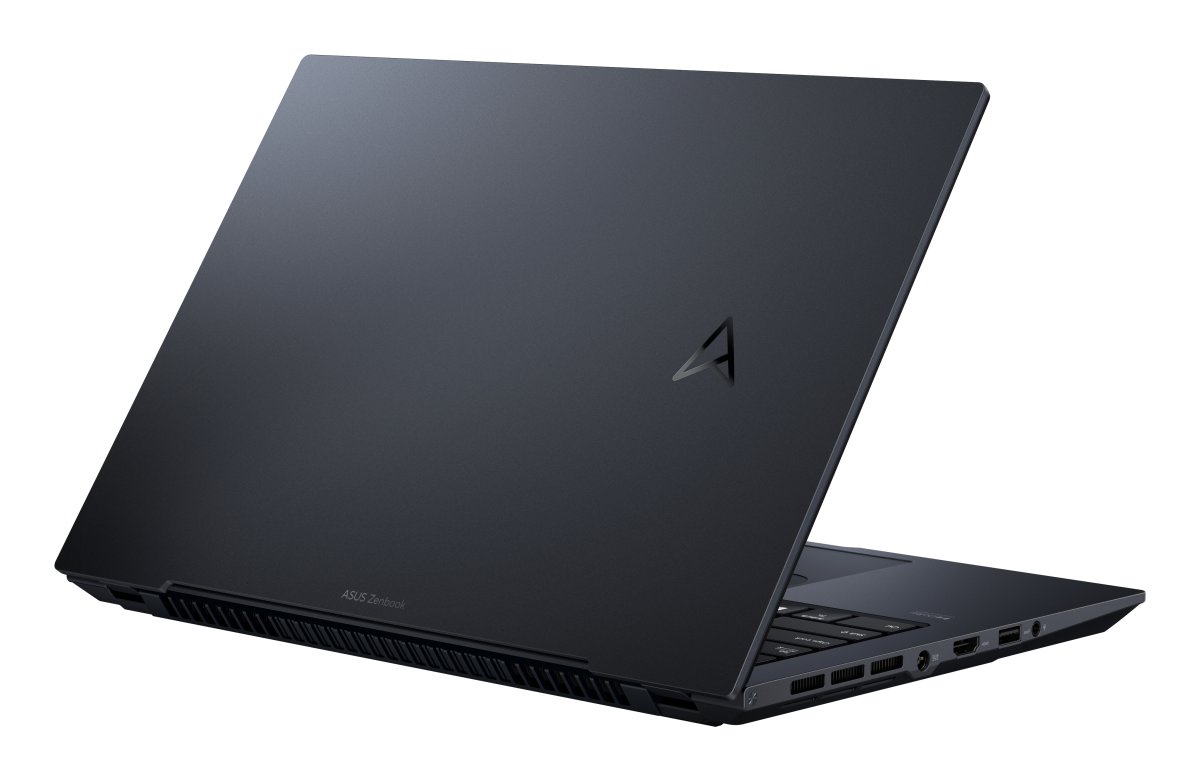
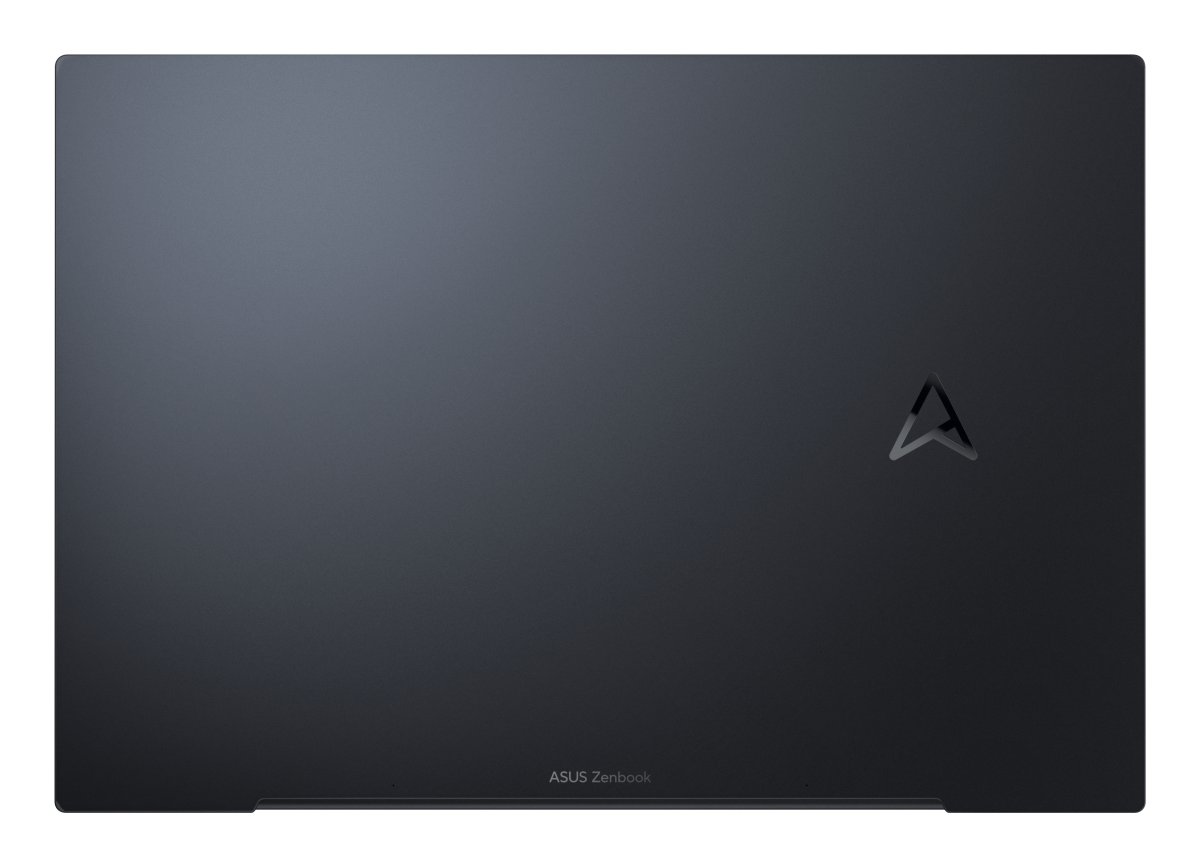
Zenbook Pro 14 OLED is a mere 17.9 mm thin and weighs just 1.6 kg. It’s an incredibly powerful package you can take anywhere — effortlessly. The sophisticated Tech Black finish, ASUS monogram on the lid, and iconic spun-metal Zen finish on the hinge cap give it an instantly recognisable yet exclusive identity.
Long-lasting battery
BATTERY
Creativity has no bounds with Zenbook Pro 14 OLED’s long-lasting high-capacity 76 Wh battery. It’s the perfect match for serious on-the-go creators.
Fully connected
CONNECTIVITY
Zenbook Pro 14 OLED is packed with a full set of I/O ports for easy device and peripheral connectivity.
Ultrafast, ultra-versatile
The Thunderbolt™ 4 USB-C® port is ultrafast and ultra-versatile. It supports USB-C Power Delivery and provides up to 40 Gbps data-transfer speeds for high-performance peripherals. Zenbook Pro 14 OLED also supports up to a maximum of four displays, using the USB-C ports and the latest HDMI 2.1 port*13.
Intelligently designed for you
USER EXPERIENCE
We go the extra mile to give you a more effortless and joyful experience, at work or play.
ASUS ErgoSense keyboard, comfortable typing experience
Your comfort is our highest priority. That’s why the ASUS ErgoSense keyboard has an incredibly satisfying feel, with the optimum key bounce and travel calculated with fine-tuned precision. Experience the ErgoSense keyboard and you’ll soon find yourself cruising effortlessly through your work.
Full-sized key pitch 19.05 mm
The full-size 19.05 mm key pitch is the same as a desktop keyboard so you can whizz through your work with superb typing comfort and accuracy.
Dished key caps 0.2 mm
The 0.2 mm key-cap dish is designed to match the shape of your fingertips so your fingers are gently guided to the ideal contact point with the keys.
Long key travel 1.4 mm
The long 1.4 mm key travel lets you type without having to use too much force. And the special ASUS-designed rubber dome guarantees your click force is met with just the right tactile bump you need for a nice gap.
0.1 mm key cap relief
When fully depressed, the keys on the ErgoSense keyboard don’t sink below the level of the keyboard deck. The key caps remain at least 0.1 mm above the chassis surface, providing you with a comfortable, ergonomic typing experience.
Optimal click ratio: Engineered to perfection
The feel of a keyboard depends on the crucial ratio between the peak force (also known as the actuation force) and the contact force. Peak force occurs when you press down on the key and reach the maximum force that the key’s underlying rubber dome can withstand without deflecting. Contact force occurs when the bottom of the key touches the circuit board to trigger an electronic signal, which in turn generates the action appropriate to the key. To achieve the most natural feel for a keyboard, ASUS keyboard experts have scientifically determined that the optimal ergonomic click ratio for a key is between 45-60%. These forces are precisely measured and tuned using the ASUS-designed rubber domes beneath the keys.
ASUS ErgoSense touchpad, smooth as new, with every touch
The latest ASUS ErgoSense touchpad is engineered to enable an unrivalled input experience that’s in harmony with how you move, feel and scroll.
Ultra-smooth touchpad
The hydrophobic coating applied to the ErgoSense touchpad has a high water-contact angle. This means the nanotech-like surface provides smoother feedback for every scrolling movement. It’s like touching silk!
Anti-fingerprint touchpad
We apply a high-end PVD anti-fingerprint coating that ensures excellent resistance to wear and tear. This coating also makes the surface really easy to clean. And even after more than 10,000 slides, the touchpad will still be as smooth as new.
Multitouch gestures
The ErgoSense touchpad supports multitouch gestures in Windows, so you can use three- or four-finger shortcuts to launch frequently-used applications or functions.
Three-finger gestures: Switch between apps
– Show all open windows: Swipe up with three fingers on the touchpad
– Show the desktop: Swipe down with three fingers on the touchpad
– Switch between open apps or windows: Swipe left or right with three fingers on the touchpad
Four-finger gestures: Switch between desktops
Swipe left or right with four fingers on the screen
Pencil drawing, on a laptop
With the sensitivity of 4096 pressure levels, ASUS Pen 2.0 allows you to accurately reproduce the finest lines and shading.
Unlock, instantly
The FHD infrared (IR) camera allows you to unlock your laptop quickly and securely.
Break the sound barrier
AUDIO
For unrivalled audio quality, Zenbook Pro 14 OLED has a stereo sound system certified by the audio experts at Harman Kardon. It delivers powerful, immersive sound that’s crystal-clear. The immersive Dolby Atmos® technology indulges you in your favourite entertainment with sound that moves all around you, adding breathtaking realism to music, movies and TV.
Dolby Atmos: Dive into sound
With Dolby Atmos, sound can be more spatially dynamic — even overhead — creating an immersive soundscape that feels more realistic.
Louder sounds!
Combining Smart Amplifier and ASUS Audio Booster technology, the audio volume is boosted by up to 5.25x for a powerful audio experience.
Dynamic sound experience
TThe distortion-suppressing dual-channel Smart Amplifier is equipped with a powerful DSP chip that can prevent long-term damage to the sensitive speaker voice coils. Creating or listening to audio in your videos, movies, music or games has never sounded better!
AI camera and audio system
SMART CONFERENCING
Take back control of your meetings with our innovative camera system and ASUS AI noise-cancelling audio technology, with new algorithms to make your conference calls even more productive.
ASUS AiSense camera effects, always look great in video calls
Best online meeting experience
For your best video call experience, ASUS AiSense camera makes sure that you always look your best during virtual conferences.
Next-level AI noise-cancelling audio technology
To provide exceptional remote-working and video-conferencing experiences, features ASUS AI Noise-Cancelling Technology that employs machine learning in order to isolate unwanted noise from human speech. This technology helps to filter out ambient noise for optimum group conference-call quality. The ASUS AI Noise-Cancelling Microphone feature in the MyASUS app can filter out ambient noise — so you’ll hear what everyone else is saying.
Try the demo to experience the amazing difference that AI Noise-Cancelling Technology can make in different environments.
Conference calls with more possibilities
Conference calls can be single-presenter or multi-presenter, gathered around a single laptop with voices coming from various directions. With the upgraded system enabled via the MyASUS app, it detects and optimises audio from either one direction or from all directions — ensuring top conference call audio quality.
World’s most strictly tested US military-grade laptop durability*17
MILITARY GRADE
ASUS laptops18 are engineered with extraordinary toughness meet the exacting US MIL-STD-810H military-grade standard, undergoing 12 rigorous test methods and 26 punishing test procedures — exceeding industry standards. The upshot is a range of products that are renowned for reliability and durability. These factors also inherently benefit longevity and thus sustainability, so you can work, travel or relax with the confidence that your ASUS laptop is ready for the real world — today, and long into the future.
Truly personalised workflow
SOFTWARE
MyASUS hosts a collection of handy ASUS apps and tools that help you get more out of your laptop. GlideX is a powerful cross-device screen-sharing solution. ScreenXpert helps you to manage app windows across displays connected to your ASUS PC, giving you full control of your workflow!
| Product type | Laptop |
|---|---|
| Product colour | Black |
| Form factor | Clamshell |
| Colour name | Tech Black |
| Housing material | Aluminium |
| Market positioning | Performance |
| Introduction year | 2023 |
| Display diagonal | 36.8 cm (14.5") |
| Display resolution | 2880 x 1800 pixels |
| Touchscreen | No |
| HD type | 2.8K |
| Panel type | OLED |
| Native aspect ratio | 16:10 |
| Display surface | Gloss |
| Display brightness | 400 cd/m² |
| RGB colour space | DCI-P3 |
| Colour gamut | 100% |
| Display response rise/fall | 0.2 ms |
| Maximum refresh rate | 120 Hz |
| Contrast ratio (typical) | 1000000:1 |
| Processor family | Intel® Core™ i9 |
| Processor manufacturer | Intel |
| Processor model | i9-13900H |
| Processor generation | 13th gen Intel® Core™ i9 |
| Processor cores | 14 |
| Processor boost frequency | 5.4 GHz |
| Performance cores | 6 |
| Efficient cores | 8 |
| Processor cache | 24 MB |
| Processor cache type | Smart Cache |
| Configurable TDP-down | 35 W |
| Processor base power | 45 W |
| Maximum turbo power | 115 W |
| Internal memory | 16 GB |
| Maximum internal memory | 48 GB |
| Internal memory type | DDR5-SDRAM |
| Memory form factor | On-board |
| Memory slots | 1x SO-DIMM |
| Total storage capacity | 1 TB |
| Storage media | SSD |
| Optical drive type | No |
| Total SSDs capacity | 1 TB |
| Number of SSDs installed | 1 |
| SSD capacity | 1 TB |
| SSD interface | PCI Express 4.0 |
| NVMe | Yes |
| SSD form factor | M.2 |
| Card reader integrated | Yes |
| Compatible memory cards | SD |
| On-board graphics card | Yes |
| Discrete graphics card | Yes |
| Discrete graphics card model | NVIDIA GeForce RTX 4060 |
| On-board graphics card model | Intel Iris Xe Graphics |
| Discrete GPU manufacturer | NVIDIA |
| On-board GPU manufacturer | Intel |
| Audio system | Smart Amp |
| Speakers manufacturer | Harman Kardon |
| Built-in microphone | Yes |
| Front camera | Yes |
| Front camera HD type | Full HD |
| Infrared (IR) camera | Yes |
| Mobile network connection | No |
| Top Wi-Fi standard | Wi-Fi 6E (802.11ax) |
| Wi-Fi standards | Wi-Fi 6E (802.11ax) |
| Antenna type | 2x2 |
| Ethernet LAN | No |
| Bluetooth | Yes |
| Bluetooth version | 5.3 |
| HDMI ports quantity | 1 |
| HDMI version | 2.1 |
| Thunderbolt 4 ports quantity | 1 |
| Intel Thunderbolt 4 | Yes |
| Combo headphone/mic port | Yes |
| Numeric keypad | No |
| Pointing device | DialPad |
| Keyboard backlit | Yes |
| Operating system installed | Windows 11 Home |
| Trial software | 1-month trial for new Microsoft 365 customers. Credit card required, McAfee LiveSafe 30 days |
| CPU configuration (max) | 1 |
| Battery capacity | 76 Wh |
| Battery technology | Lithium-Ion (Li-Ion) |
| Number of battery cells | 4 |
| AC adapter power | 200 W |
| AC adapter frequency | 50 - 60 Hz |
| AC adapter input voltage | 100 - 240 V |
| AC adapter output current | 10 A |
| AC adapter output voltage | 20 V |
| DC-in jack | Yes |
| USB Power Delivery (USB PD) | Yes |
| Windows Hello | Yes |
| Trusted Platform Module (TPM) | Yes |
| Password protection | Yes |
| Compliance certificates | RoHS, REACH |
| Sustainability certificates | EPEAT Silver, ENERGY STAR |
| Weight | 1.6 kg |
| Width | 321.8 mm |
| Depth | 223.3 mm |
| Height | 17.9 mm |
| Sustainability compliance | Yes |


